

If you have been receiving SSTV, then you’ll typically know the go-to application is MMSSTV by JE3HHT. It’s s as old as the hills, first released in April 2002 and runs on pretty much anything. I find that its TX template design is particularly good to use.
If you have been a Linux enthusiast, then the go to application to run windows applications is WINE. It’s as old as the hills, with development starting in 1993 and runs on pretty much anything.
Not being entirely happy with QSSTV’s UI, I went about seeing if MMSTV could operate under WINE.
Installing WINE
Post Sections
Installing WINE is relatively straightforward, and typically can be installed straight out of the software manager in Debian’s UI. I also like to install Q4Wine to provide myself with a UI for managing the WINE installation:

Installing MMSTV
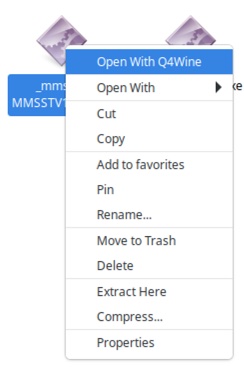
After WINE is installed, it was time to go over and download the MMSSTV setup program and once downloaded, right clicking and choosing open with “Q4Wine”. This was where I encountered my first problem, as nothing happened.
Delving into the log files, I found the following error:
rundll32.exe - This application could not be started.After a bit of searching online, I found that the most likely cause for the failure was that by default WINE does not install i386 runtimes, which given the age of MMSTV, was something needed. To install the WINE i386 environment, the following commands were run:
dpkg --add-architecture i386
apt install wine32:i386
From there, I deleted the “.wine” folder in my home directory, and tried the MMSTV installer again. MMSSTV installed and then ran happily. Now having a working application, how to get audio and PTT control in to WINE for MMSSTV.
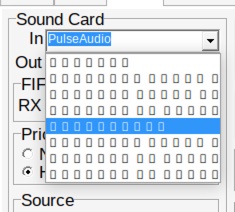
Selecting a sound card when running MMSTV with wine is a game of roulette – with a font rendering issue, the text in the dropdown box is all squares. Oddly once selected, you can see the sound device just fine. (If you know of a fix for this – please contact me and let me know!)
From here it was a matter of stepping through the options until I found PulseAudio, which is passed through from Linux.
PTT Control was a little more complicated, and required editing of the registry environment in wine to add ports. This can be opened by running the following command.
wine regeditThen you need to traverse to HKEY_LOCAL_MACHINE\Software\Wine\Ports and add “String” keys for each COM device with a value of the /dev/ device as you can see in the picture below. I ended up assigning COM1 to my FTDX1200 and COM2 to the IC-9700, to allow easy switching:

WINE will need to be restarted with:
wineserver -kFor this change to take effect.
After this, starting MMSSTV and setting the COM port, followed by using the test tone proved that sound card and PTT was working and lo and behold I have a working version of MMSSTV working under linux!
It is worth noting here that if you are not familiar with wine, a quick way to find the SSTV images stored by MMSTV (assuming you install to the “Default” C:\Ham location) under Linux:
~/.wine/drive_c/Ham/MMSSTV/HistoryUsing MMSSTV does have it’s drawbacks though:
- Auto-saving of files results in not particularly useful filenames, typically called “Hist1.bmp, Hist2.bmp” etc. This is not especially useful for the SSTV Log page, where the filename has a mode and timestamp.
- Running under WINE, it is relying on the PulseAudio server in Linux to deliver audio, which means you cannot use multiple audio devices (e.g. receiving ARISS SSTV on VHF while using WSJT on HF). Trying to have audio input from multiple sources seems to go very badly.
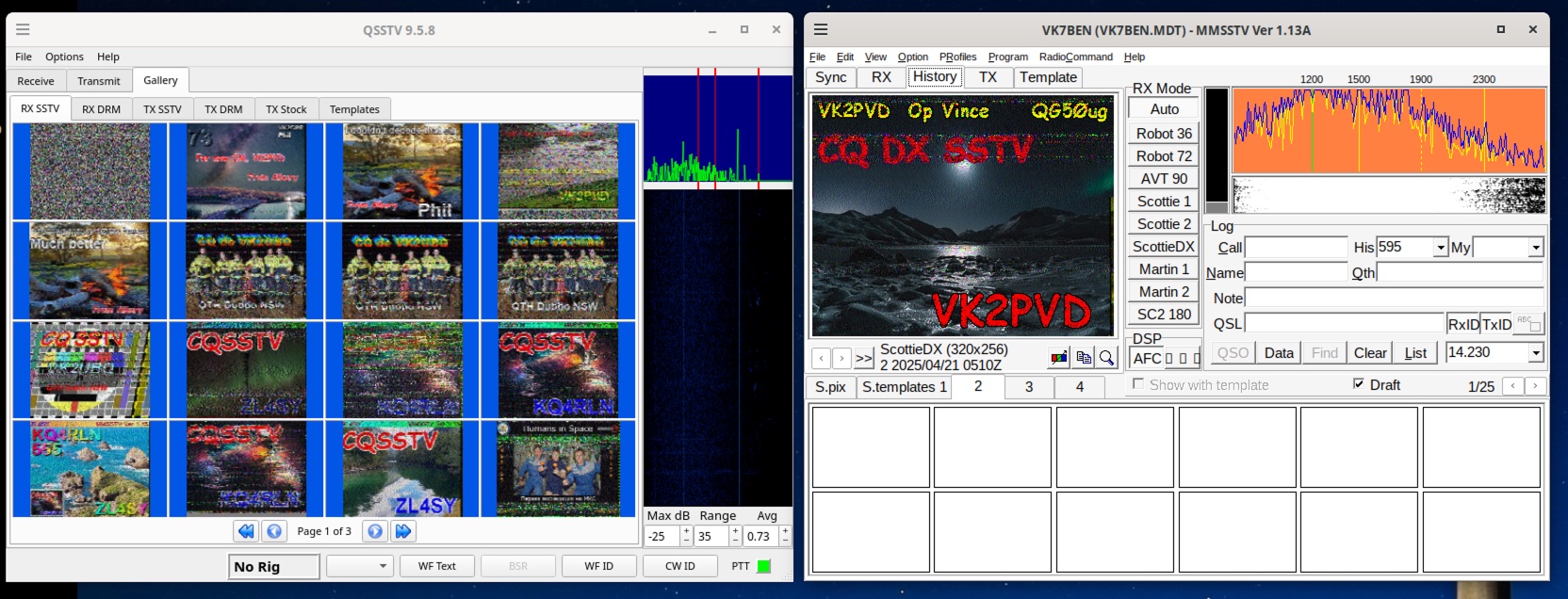
Interestingly, I can run QSSTV and MMSSTV side by side. This opens the possibility of using QSSTV primarily for the background logging of images, while using MMSSTV for transmitting.
Anyway MSSTV is now available to me as part of my radio toolkit under linux, and this makes me happy 🙂