

Over this past week I have taken a leap of faith and moved my contact logging platform to Wavelog.
Ever since I first obtained my amateur radio license some 20 years ago, I have used Ham Radio Deluxe which truly has been the “Swiss Army Knife” for the casual amateur radio operator, primarily incorporating multi-rig control, logging, digital modes and satellite tracking. It’s a great application and I have no problem in recommending it, but it’s slow development roadmap has resulted in me seeking an alternative.
My hand was ultimately tipped by Microsoft’s announcement that support for Windows 10 ends in October. Normally this would not be an issue, I would just upgrade to Windows 11, but unfortunately it would appear my CPU is no longer supported with the only solution being to upgrade the hardware to something newer. In true ham radio frugal fashion and as an IT professional by career, I think this is a load of bollocks. Having been given several earlier generation Lenovo Thinkcenter computers in the past that are more than capable for my needs, it would appear I need to revisit whether Linux is a viable option for the ham radio shack in 2025.
Wavelog is a web-based logging platform that first appeared in Feb 2024 as a fork of CloudLog, which appears to have been around since 2020. Web based logging has realistically only come into it’s own in the last 5 years as technology has allowed and it piqued my curiosity at the 2024 Tassie Ham E-Con with a presentation on the World Radio League.
I ended up with Wavelog for the following reasons:
- It was self-hosted. Commercial web hosting for personal sites (especially when you run multiple sites) is expensive and generally more inconvenient to use. as good as WRL’s offering is, using a “Software as a Service” platform like WRL does put you at the mercy of the person hosting the platform and I am not particularly keen on one day finding out the service, and my logs, are gone.
- It had an online demo. I really like being able to “try before you buy” and this gave me the opportunity to find out if I thought I would like Wavelog.
- Container Install. Containers make it incredibly easy to stand up, upgrade and backup server-based webapps. Having had nightmares in the past manually configuring webapps manually, only to have them break when a component got upgraded, I wanted to keep this as simple as possible.
- Finally, it has a great set of features.
The features of Wavelog that were notable to me are:
- Rig Input. Through the use of a small tray application, Wavelog is sent the radio frequency, mode and power settings for the log.
- Automatic logging. As someone who extensively works digital modes, the ability to not have to manually enter QSO details into the log was critical.
- LotW/eQSL/Ham365 Support. The ability to automatically sync these contacts with these services was a given need.
- Contesting Support. I was very pleasantly surprised to see full support of WIA contests, along with all the other usual contests.
- Portable Ops Support. SOTA/POTA/IOTA/WWFF are all supported
- Import/Export Options. ADIF and Cabrillo support make it easy to import logs from past contests or export logs for submissions to other sites.
- Fast Log Entry (FLE) Support. If you know, you know! its a fantastic way to manually manually enter logs post-event e.g. SOTA activation
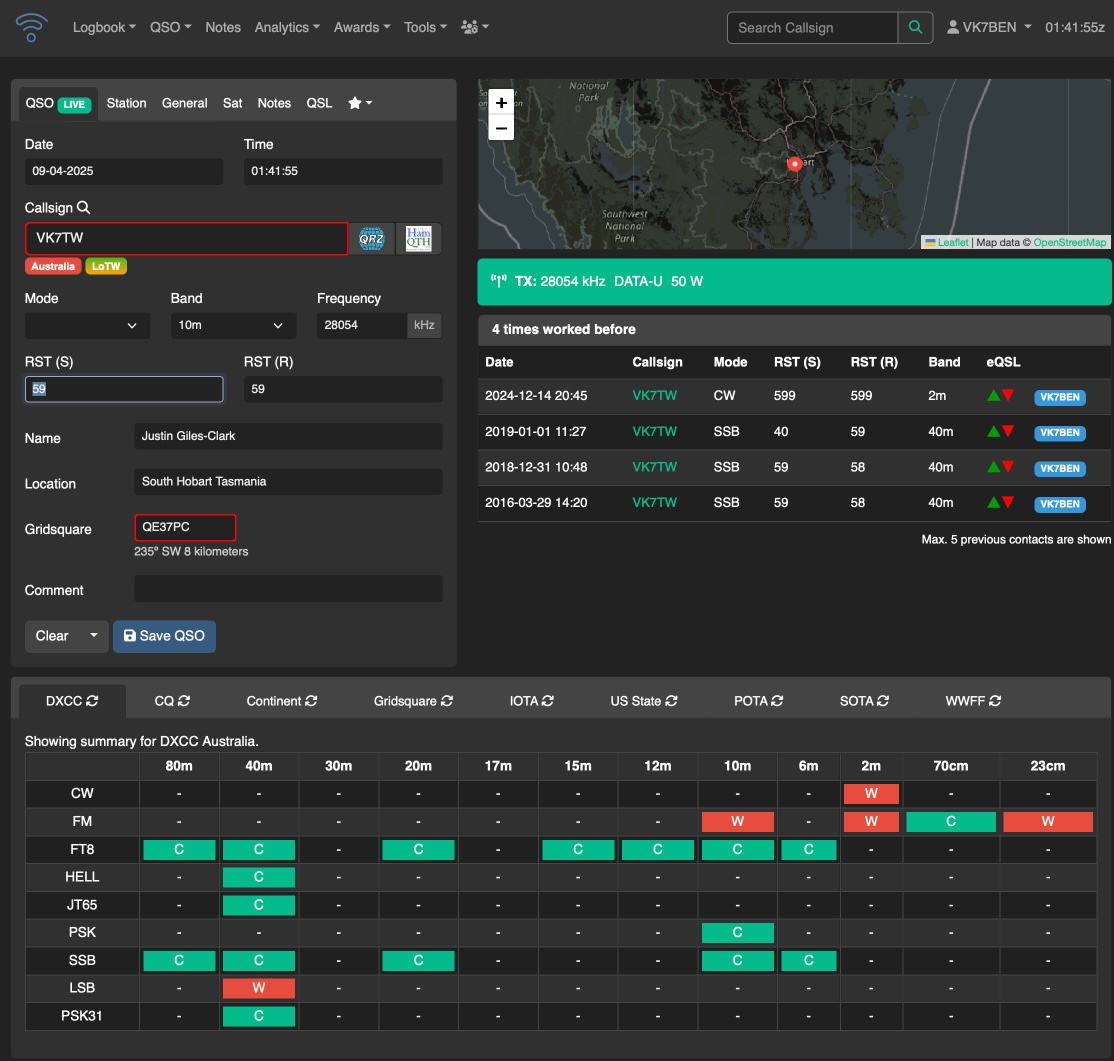
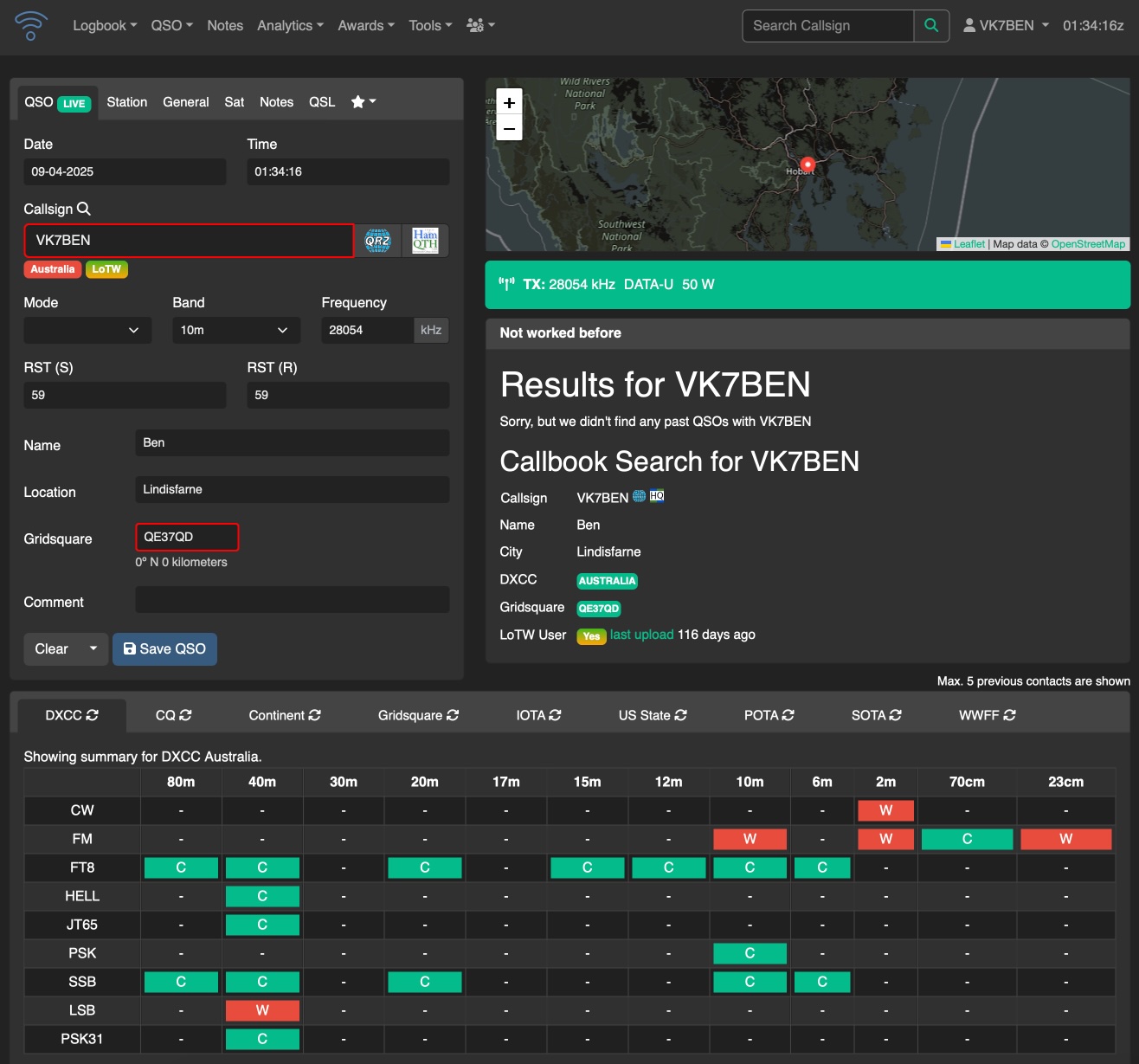
Using Wavelog is not to much different to using HRD for me. The log entry window has what you would usually expect of entering callsigns in and entering a callsign will result in an attempt to lookup the callsign from an online lookup database (which I think is QRZCQ given some of the lookups have had incorrect data traced back to this service), otherwise it will list previous contacts. Adding additional information is available in tabs above the entry field location (e.g. Station, General, Sat etc…) or you can enable SOTA/POTA/WWF fields to display in the main QSO Tab.

When using wsjt-x, thanks to the WavelogGate app, there is no difference in automated logging compared to windows – you click the “Log QSO” in wsjt-x and it will just appear in the logbook – you can see that in the screenshot above with the successful log for VK4HDW
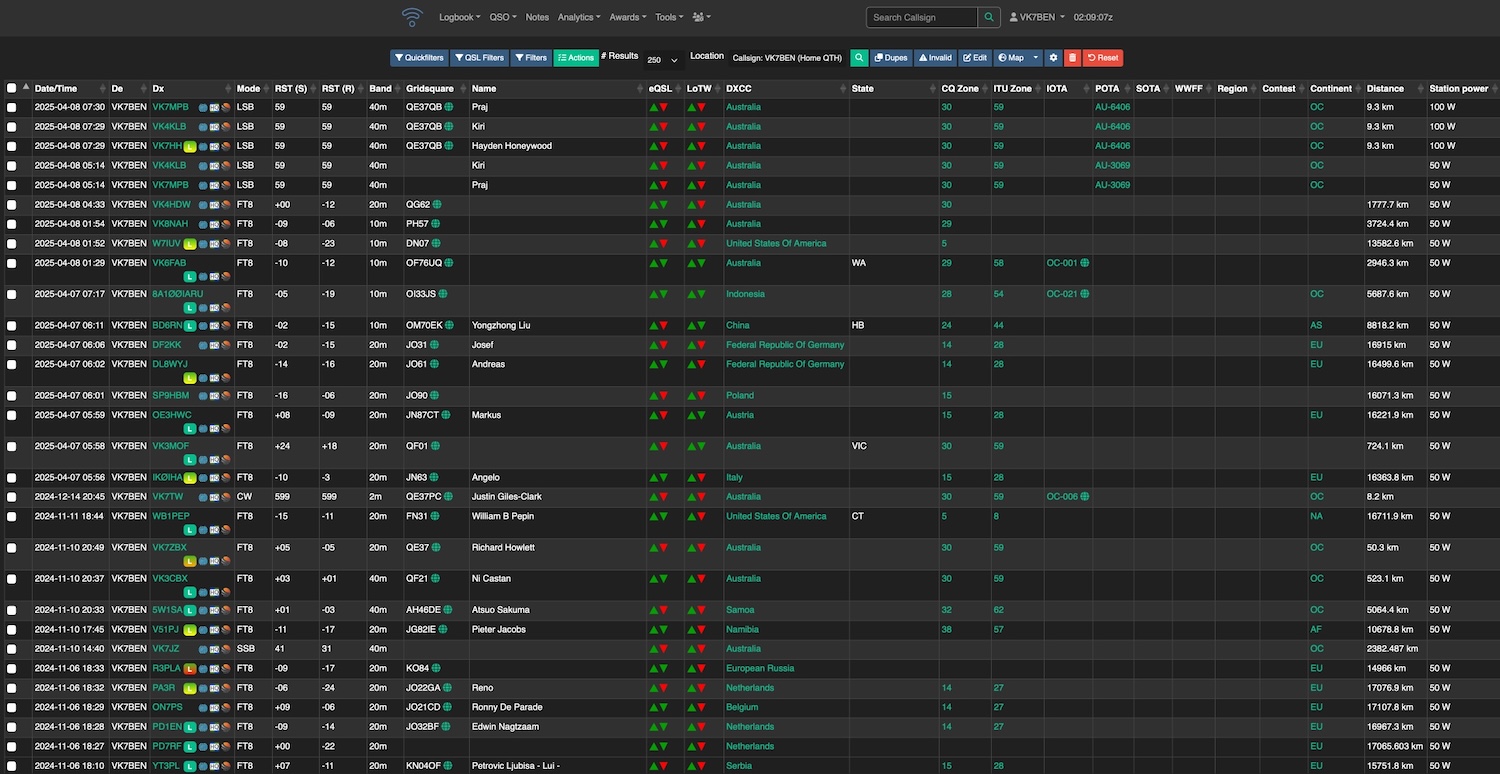
The main logbook is relatively pleasing visually and I tend to use the advanced view as seen to view all logbook info. Nothing much to say here other than you can edit all the information as needed by clicking on the callsign and selecting “Edit QSO”
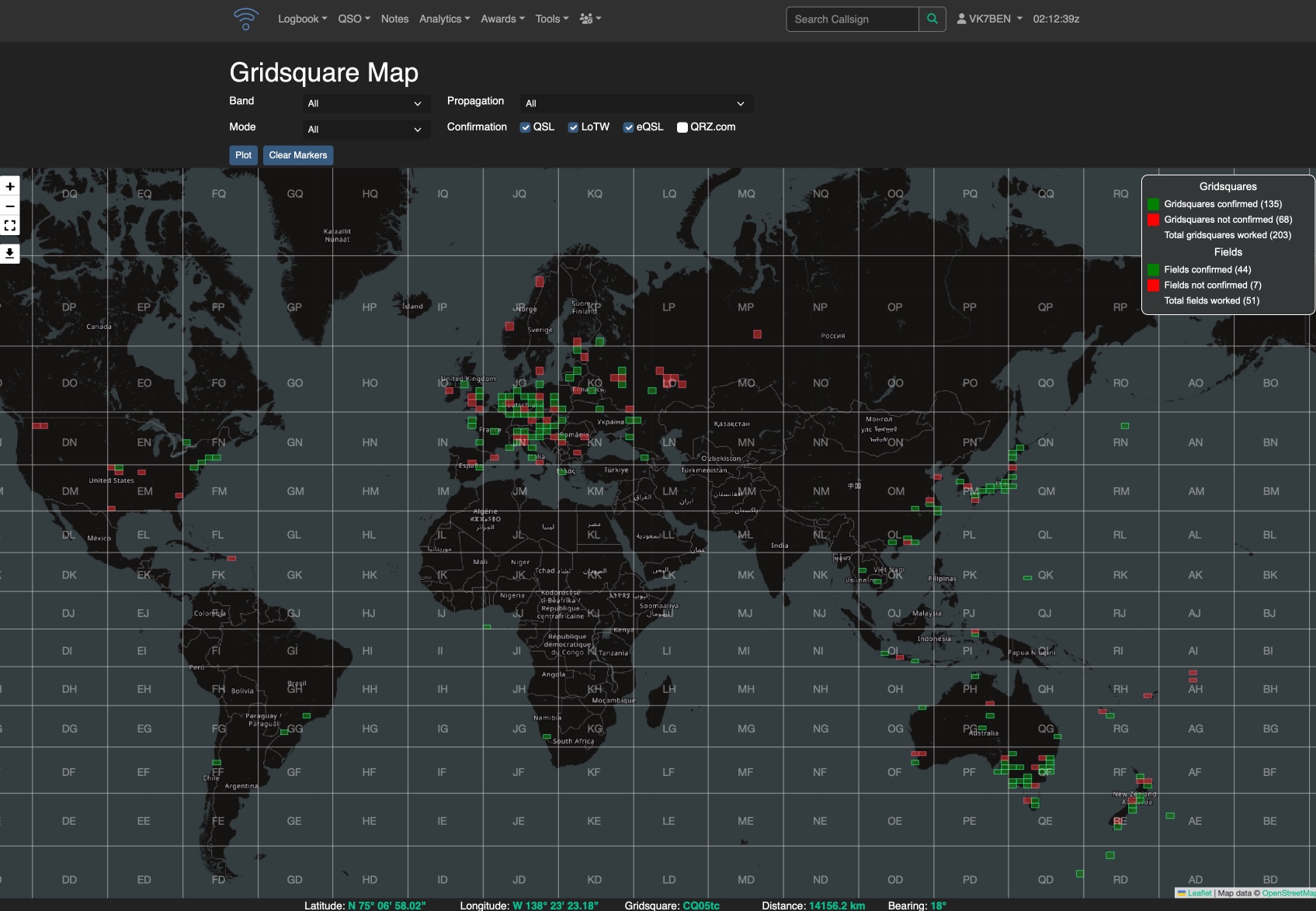
Perhaps the nicest visual feature I like is the ability to see worked/confirmed grid squares on a map.
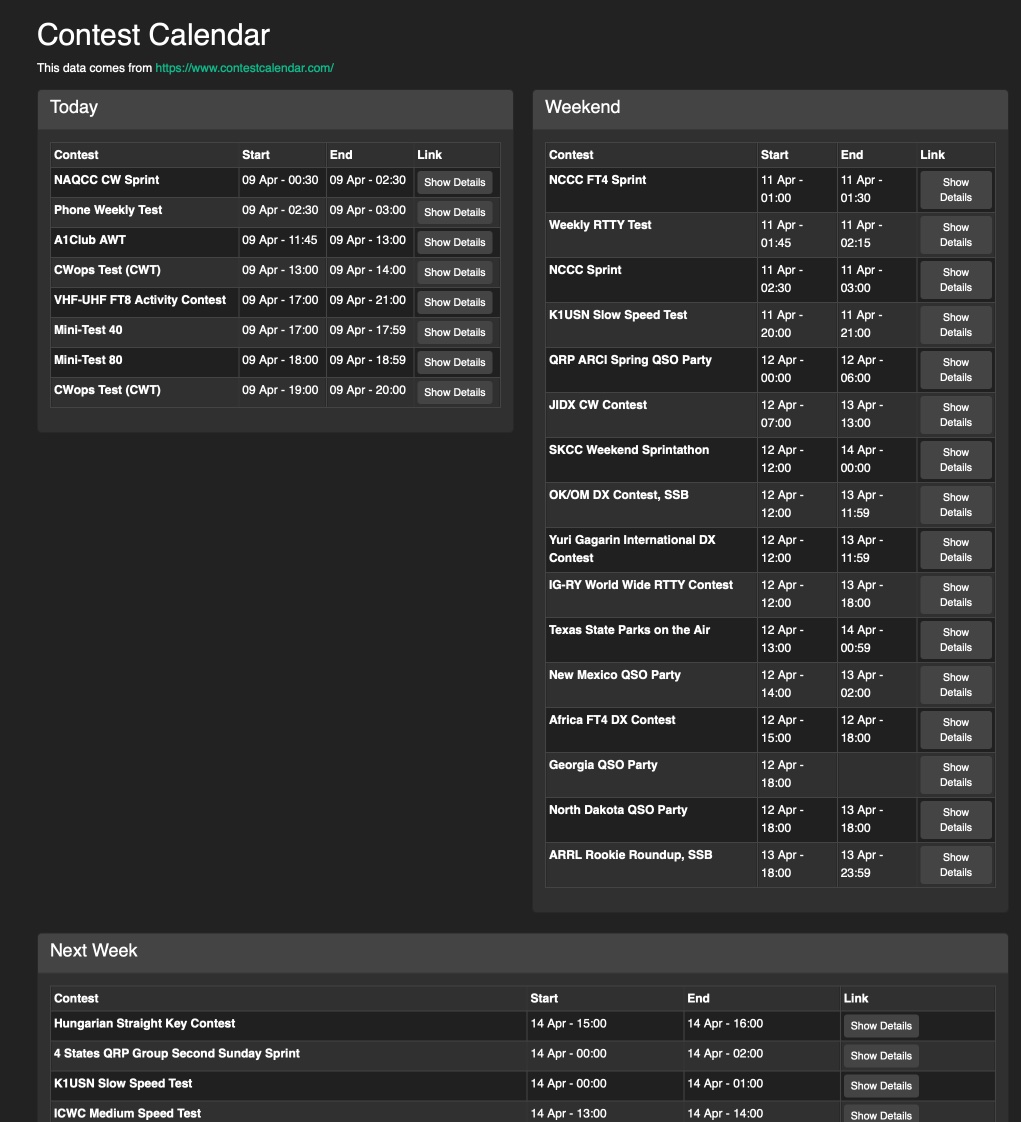
Another welcome feature is the inbuilt contest calendar – and for someone who usually doesn’t check if there is a contest on until it is too late, having this information readily accessible is pretty handy.
The only thing I think Wavelog is missing so far decent DXCluster support. It would be nice to obtain a feed of cluster information from within the logger, but given it is web based, theres also no reason not to just have DXSummit or DXHeat open in another tab.
I still have a fair way to go with importing past contest and portable logs into Wavelog, but so far I am pretty happy with it’s capability.
If you have gotten this far and want to experience Wavelog for yourself, check out the Demo at